
811 LOCATE SOFTWARE FOR UTILITIES AND LOCAL GOVERNMENT
Don’t Guess,
811 Locate.
Track every utility locate request, easier than ever.
Protect your water, sewer, gas, and electric infrastructure with our enterprise 811 locate management system.
Stay Ahead of Every Dig
From ticket to task to positive response, Elements streamlines every step of the locate process while keeping your data, maps, and teams fully connected.

Everything in One Place
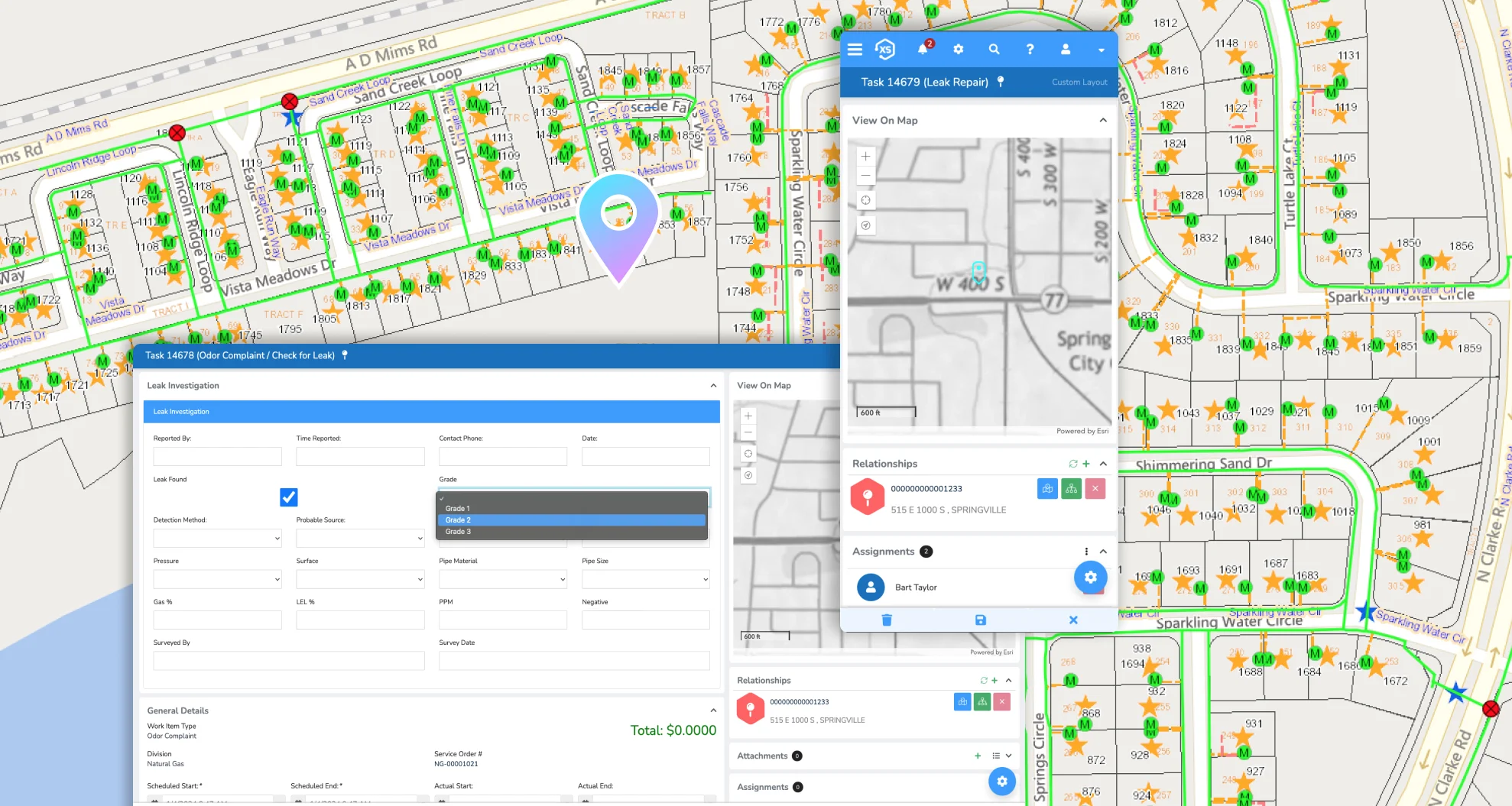
811 locate requests are automatically pulled into Elements from your local 811 center and placed directly on your Esri maps. From there, tasks are created, assigned, and tracked—all in the same platform your team already uses for asset management, permits, citizen requests, and more. No switching systems. No lost time.

Faster Workflows
Elements gives you complete control over how tickets are handled. Configure dispatch logic, filter out-of-bounds or non-applicable tickets, and apply custom business rules to prioritize the right work. Automated positive response, built-in communication tools, and mobile task closure keep your teams moving efficiently in the field.

Protect Assets. Reduce Risk. Deliver Results.
With real-time GIS overlays, instant notifications, and connected data across departments, Elements helps you locate faster, prevent strikes, and respond with confidence. Your work history, ticket responses, and map data are all saved for easy reporting—so you’re always ready for what’s next.

Dig Into a Better Way to Work
811 locates, asset management, permits, billing—you name it. One powerful platform does it all. It’s time to get your whole team on solid ground.
From Dig Ticket to Done
Handle 811 locates with fewer steps, smarter maps, and better coordination—from the moment the request comes in to the final spray of paint.
1. Request Received & Ready to Go
Whether it’s a new fence, sprinkler install, or road repair, someone submits a locate request through the local 811 center. Novotx captures it instantly, so nothing gets missed.

2. Your Map, Your Control
The request is automatically added to your GIS map. Novotx creates the task with all the locate details and dispatches it based on your custom rules — helping you prioritize and stay organized without extra effort.
3. Mark It Right, Every Time
The locate ticket overlays directly on your map, giving you a clear view of your assets. That way, you know exactly where to put your paint—fast and accurately.


4. Finish the Job, Keep the Records
Close the task right from the field, using any device. Novotx sends the positive response automatically and saves the work history with location details—so your reports and future planning are always ready.
Effortless 811 Locates,
Powered by Elements
Seamlessly manage every 811 locate—from request to completion—with powerful GIS tools and automated workflows that keep your whole team connected.

Instant Ticket Capture
Elements connects directly to your local 811 center, pulling in locate requests automatically and displaying them as tasks on your Esri maps—no extra steps, no missed tickets.

Automated Workflows
Customizable business rules prioritize and dispatch tickets based on how your team operates. Out-of-bounds or not-applicable requests? Closed automatically.

Built-in GIS Power
GIS overlays show exactly where to mark, while mobile tools let field crews close tasks on-site. Positive response is sent automatically, and everything’s logged for future reference.

One System, Many Departments
From asset management to permits and billing, Elements keeps your data connected and your teams aligned—so everyone’s working from the same system, not separate silos.
Stop Digging a Hole for Yourself
Get everyone on the same page with an enterprise 811 solution.